
Feature - Calendar
Your whole week.
One screen.
Stop mentally juggling what is on and when. The Avistr calendar shows every job laid out across the week so you always know exactly where you need to be.
14-day free trial - Cancel anytime
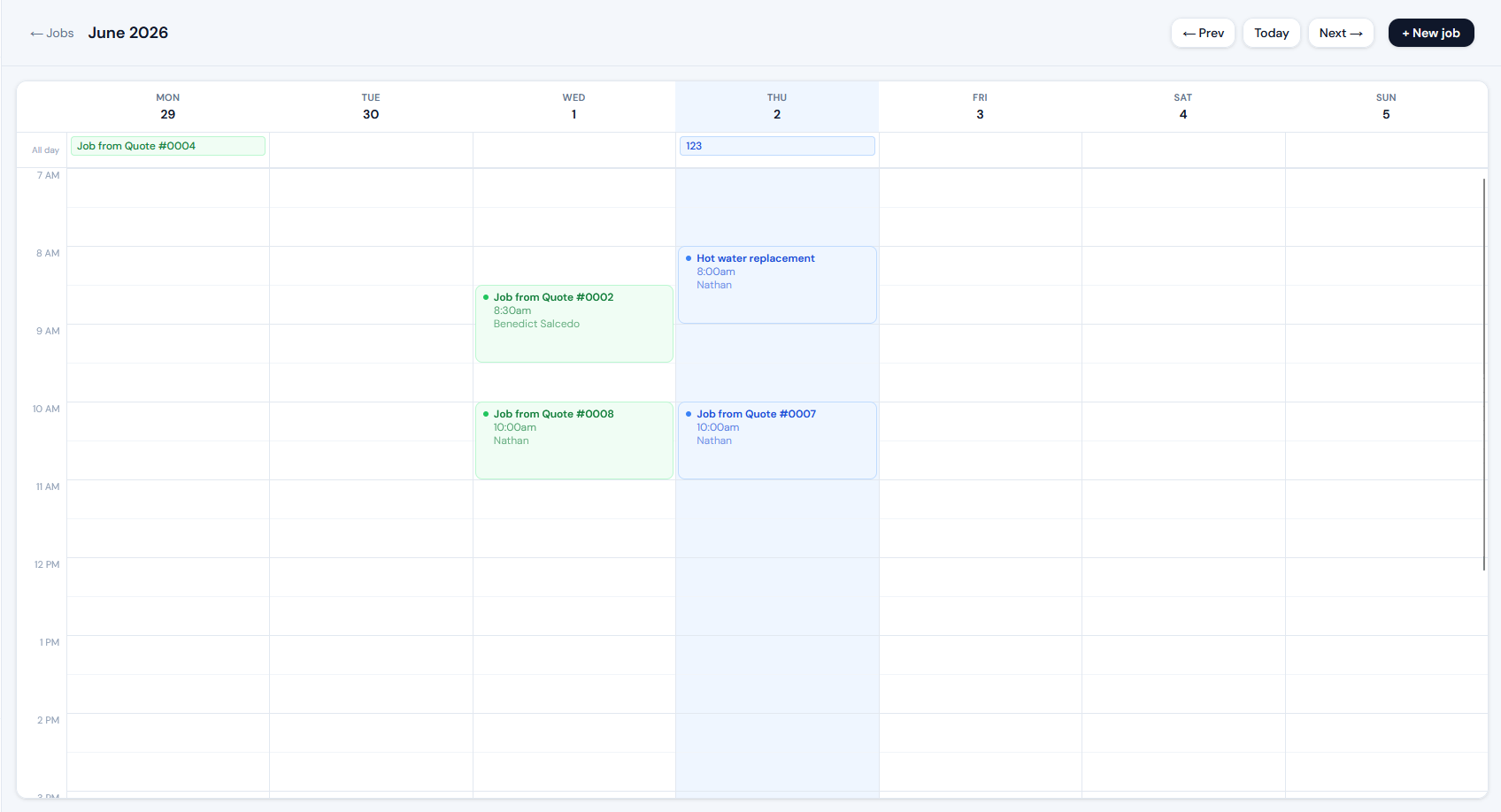
Week view
see every job laid out day by day at a glance
Colour coded
scheduled, in progress and done at a glance
Any device
works on your phone, tablet or desktop
On your phone
Check your week
from the van.
The calendar works just as well on your phone as it does on a desktop. Pull it up before you leave in the morning and know exactly what the day holds - who you are seeing, when, and where.
Tap any job block to open the full record. Address opens in Maps, client details are right there, and you can update the status on site without switching apps.
Learn about job management →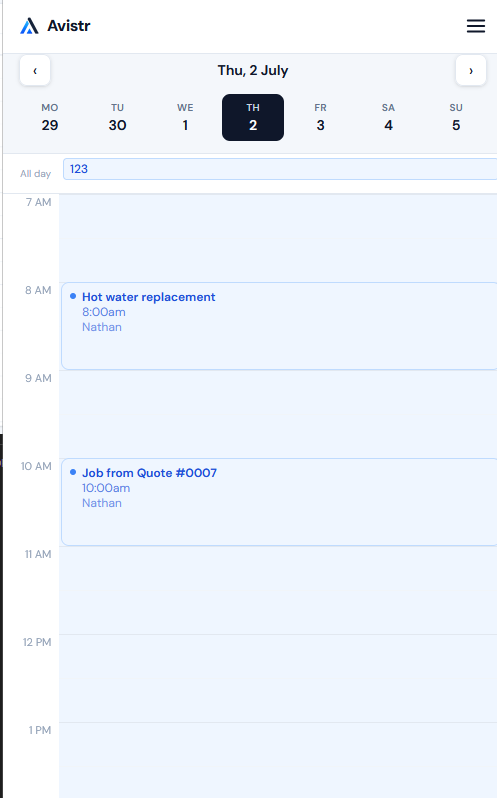
What is included
Everything on the calendar.
Full week at a glance
See every job laid out across Monday to Sunday. Know instantly what is on, when it starts and how long it runs.
Colour coded by status
Blue for scheduled, amber for in progress, green for done. You can see the shape of your week without reading a single word.
Tap to open any job
Tap a job block to open the full job record. Address, client, notes, photos - everything is one tap away from the calendar.
Navigate by week
Step forward and back through weeks. Check what is coming up next week or review what you completed last week.
Works on mobile
The calendar is fully usable on your phone. Check your week in the van before you head to the first job.
Linked to your jobs
Every job you create appears on the calendar automatically. There is nothing extra to do - book it and it shows up.
Ready to start?
See your week clearly.
14-day free trial. No card required. Set up in under five minutes.
Start free trial